Showing posts with label java. Show all posts

Wednesday, March 6, 2013

More Java Flaws Discovered

During our technology training last month we talked about the ongoing problems with Java's security. We also reviewed our options for dealing with this never ending problem. In fact I posted my recommendations in last month's technology newsletter.

Well Java is back in the news and here is the scoop on Java's latest flaw.

This latest flaw was first discovered by security firm FireEye, which says it has already been used “to attack multiple customers.” The company has found that the flaw can be exploited successfully in browsers that have Java v1.6 Update 41 or Java v1.7 Update 15 installed, the latest versions of Oracle’s plugin.

This confirms the flaw is indeed a 0-day. For those who don’t know, “0-day” or “zero-day” this refers to a security hole that has not been publicly disclosed yet, and so doesn’t have a patch available.
Oracle released Java SE 6 Update 41 and Java SE 7 Update 15 on February 19, addressing five security fixes. This was a scheduled release, but it succeeded a previous emergency update that addressed 50 (yes 50) vulnerabilities. In February, Java exploits have resulted in computers being compromised at multiple companies, including Apple, Facebook, and Microsoft.

Since the release of Java 7 Update 15, there has been at least one new vulnerability found in Oracle’s software. Unfortunately, it’s not clear if this exploit discovered by FireEye is related or not.
On February 25, Security Explorations, a Polish security firm responsible for identifying the majority of the latest Java security holes, sent Oracle yet another vulnerability notice, including proof of concept code for two additional flaws. Oracle began investigating the same day. On February 27, it declared the first alleged issue was not a vulnerability but confirmed the second issue.

Security Explorations disagreed with Oracle’s assessment regarding the first issue and provided Oracle with further examples as part of its argument. On February 28 (the same day FireEye discovered the latest version of Java was being exploited in the wild), Oracle said it would investigate the first issue again.

I recommend that regardless of what browser and operating system you are using, you should uninstall Java if you don’t need it. If you do need it, set your Java security settings to “High” so that it prompts you before loading an applet. Check out last month's tech newsletter for more information.

Wednesday, January 16, 2013

Java Security Alert - Update


Despite a software pitch for Java software released on Monday, January 14 by Oracle, the Department of Homeland Security warned millions of computer users about a threat “in the wild.” Oracle Released a Java Security Fix yesterday, January 15, 2013; But Homeland Security was still not pleased.

Security experts are warning users to disable Java on their computers to avoid being compromised by hackers. As a result, the department’s Computer Emergency Readiness Team advised PC users to “consider disabling Java in Web browsers, until adequate updates are available.”


Last week, the department warned of the vulnerability of Java, which is owned by Oracle, especially in the latest version 7 of the software. Oracle said it had released a new version, Update 11, to fix the problems. Meanwhile, Microsoft, said it had released a security advisory for its Internet Explorer browser versions 6, 7 and 8, which “could allow an attacker to execute arbitrary code if a user accesses a specially crafted website.”

The flaws are important because of the increasing use of websites for banking, financial orders and retail shopping, where credit card and bank account numbers are entered online. Hackers can buy packs that identify flaws, and then hack into websites or entire retail networks to intercept those numbers.

The Cyber Security task force also said that hackers can access ad networks that take consumers to these same sites or that post malware onto their devices. Oracle said its latest patches address the latest flaws and set the security level on Java to “high” in a bid to alert users that malware could be downloaded onto their machines.

My Java Advice

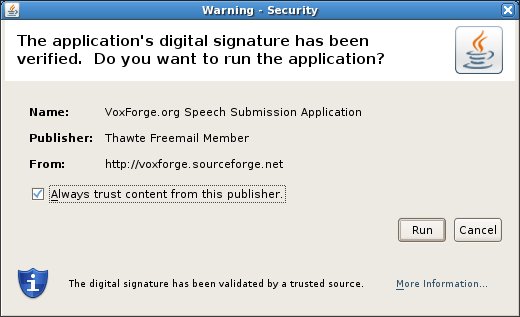
When you visit a website and Java wants to run you will normally be presented with a pop-up message asking for permission to run. If you are not 100% comfortable with the website you are visiting do not provide approval for Java to run.


How Do You Disable Java in Internet Explorer?

1. If you use Internet Explorer version 7 or above, open Internet Explorer and select Tools | Manage Add-ons then skip to Step 3. If you use an older version of Internet Explorer, open Internet Explorer and select Tools | Internet Options and continue to Step 2.

2. From the Internet Options window, click the Programs tab and select Manage Add-ons.

3. From the Add-ons windows, click once to select (highlight) Java Plug-in then click the Disable button. Click Close and OK to accept the change.

4. Alternatively, you can also click Tools | Internet Options | Advanced. If Java is installed in your browser, you will see a listing for Sun Java in the Internet Options menu. Just uncheck it to disable.

5. When you encounter a site that requires Java (for example, some small online games and calculators), you can re-enable Java easily by following the same steps above, this time selecting the enable option.

You can get more directions for many vesions of Windows & Browsers on Java's website.