Tuesday, February 28, 2012

The New Documentary About the Barnett Shale

"It's really sad...everyone was so pro-drilling. This is the red, white and blue American thing to do. I just never saw it that way and I was being personally affected by it. But now I'm seeing other people rise up who are feeling the same way.
I think a lot of people now would like a do over."
~ Jane Lynn, Arlington, Texas (Meet the Frackers)
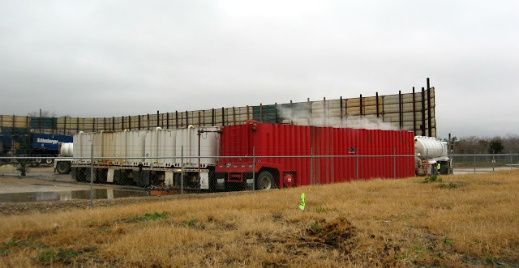
Fulson Pad Site(Picture courtesy of the Fishcreek Monitor)
(Fishcreek Neighborhood, SE Arlington, TX December 2011)


"A lot of things that are generated during this process are known to be harmful to human beings. But it’s similar in my mind to how we found out about cigarette smoking and cancer. It wasn’t that we did a study and found out oh no look cigarettes cause cancer, it was 40, 50 years of ah... exposure."
     ~ Dr. Gordon Aalund, Emergency Doctor and Southlake, TX Resident


Here's the link to the Video. Click on "Play Video."

Monday, February 27, 2012

Regarding the Corn Valley Drilling Site

Force Majeure (developing story...stay tuned)


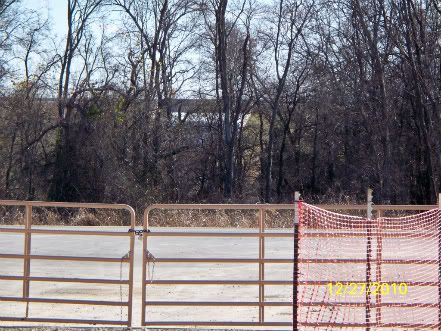
Joe Pool Lake Dam and Spillway 


An oil and gas lease generally [but not always] includes a force majeure clause. Such agreement relieves the lessee from liability for breach, if the party's performance is impeded as the result of a natural cause that could not have been anticipated or prevented.
This Act of God must completely prevent performance and must be unanticipated. Courts often construe this clause very strictly and rarely enforce it. For example, a tornado preventing performance in Oklahoma would not trigger the force majeure clause, since tornadoes are a common occurrence in Oklahoma.[emphasis added]


Sunday, February 26, 2012

Pastor says, "We are so blessed to be on the Barnett Shale."

NOTE:   At the very beginning of this video, the Pastor from Overcoming Faith (Church) is announced as the next speaker for this Public Hearing on a new drill site called "Overcoming Faith." 


At that very moment, a man
leaps up from the front row of the Arlington, TX City Council Chambers and adjusts the entire podium.   Maybe it had something to do with overcoming a podium.  But we really can't begin to know for certain.


Get Microsoft Silverlight

(Reminder Note: The above video will not play using the iPhone's Safari Browser ~ be sure to open the video from your PC or your MAC.)


Oh, and here are the 3 Letters of Support for this drill site linked to from the Agenda on the City of Arlington Web site.


If we're not mistaken, there are problems with those letters.  One seems to be from the operator and 2 seem to be from the same person. There's a lot of overcoming there, too.

The Women.

Get Microsoft Silverlight


(Note: The above video will not play using the iPhone's Safari Browser ~ be sure to open the video from your PC or your MAC.)


This last Tuesday night (February 21, 2012) something very unusual happened during the vote on the Overcoming Faith Drilling Site during the Arlington City Council Meeting.   The vote was 4-3.


The 4 City Councilmen voted "Yes" to the site. 


As the video shows, the 3 Women on the Council voted "No" to the site.  After observing the actions of this City Council over many months and seeing how they mostly never met a drill site they didn't like  ~  it was a sea change this past Tuesday night.


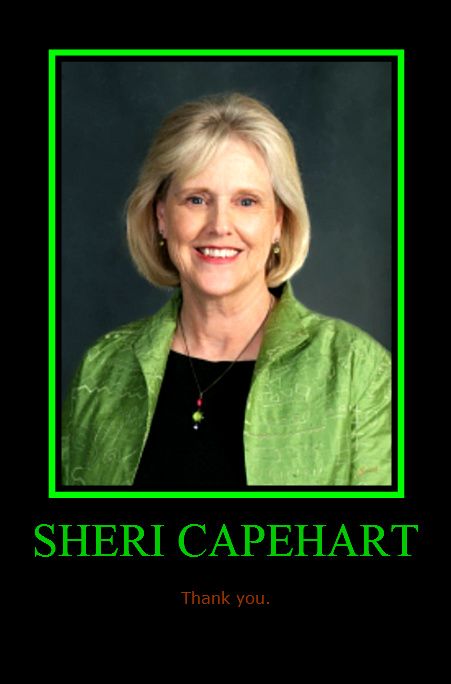
P.S. We're very sorry for your loss, Councilwoman Capehart.  We, too, have known the sadness and long goodbye of losing a loved one to Alzheimer's.   AMEN.

Sunday, February 19, 2012

PODCAST: Inside the Hiring Process

The Schegg Group's Mary Anne Calabrese joins Chris to detail what happens inside the hiring process. Learn new tips that may get you hired!

Friday, February 17, 2012

Step 3 - Installing the Microsoft Online desktop

You need to install the new Microsoft 365 Online Desktop applicant. To do this:

1. Go to portal.microsoftonline.com.

2. Log in with your user name (email address) and new password.

3. On the right tool bar select “Downloads”.

4. Select “setup” and follow the on screen directions.


Preparing for 365 - Step 2

Here is STEP 2 for preparing your computer for Microsoft 365.

You need to change your password to the new Microsoft 365 requirements. These requirements are:

The password must be 8 characters and include (3 of 4) lower case, upper case, numbers or special characters.

You can change your password by opening the Microsoft Online Services client, selecting the “Options” tab and clicking “Change Password”.

You can find the Microsoft Online Services client on the bottom right toolbar are in the program group “Microsoft Online Services”.